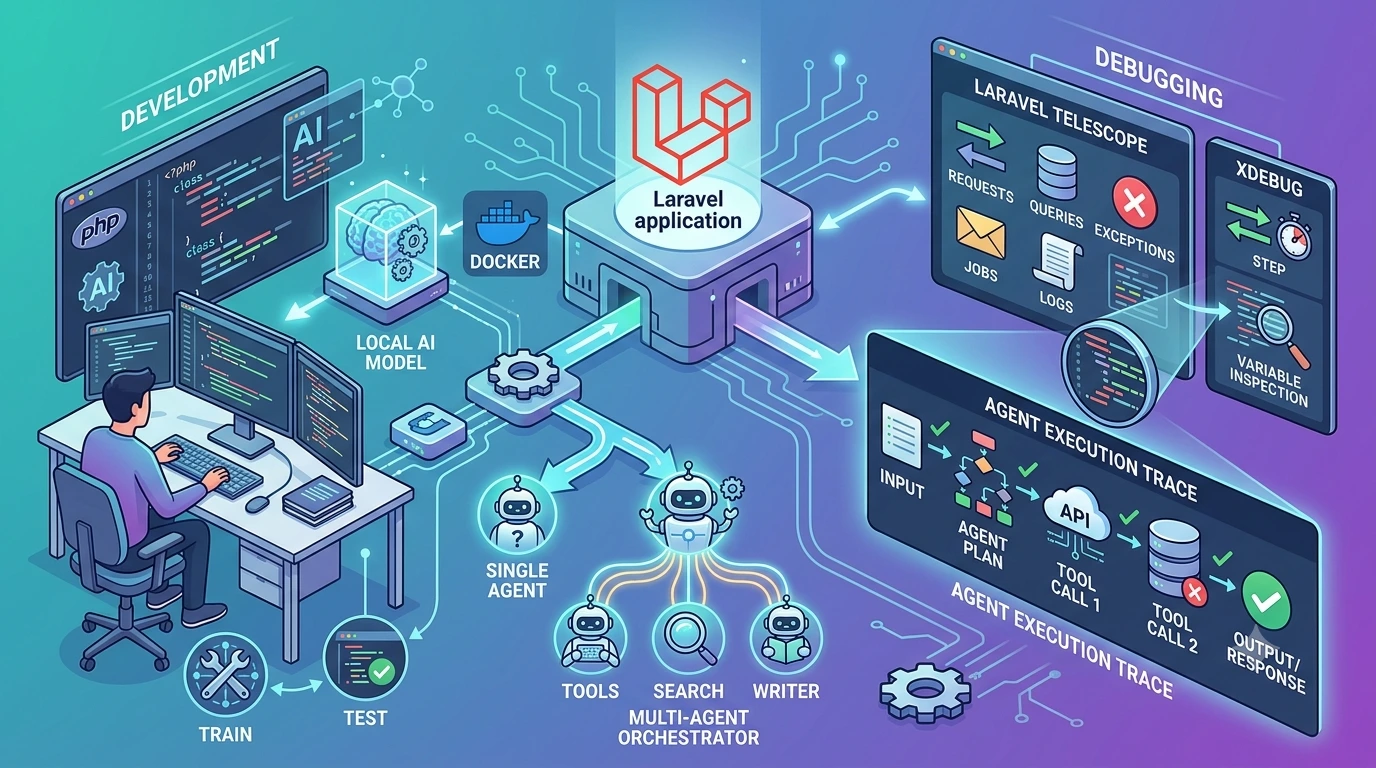
Building AI agents in Laravel raises a familiar tension: you need fast, repeatable local iteration, but relying on live models makes tests slow, flaky, and costly. This article lays out practical patterns for laravel ai agent local development—ways to mock models, simulate agent behavior, and record-and-replay LLM interactions—so you can build and debug agents without touching production models or trusting nondeterministic responses.
Principles that guide local development for agents
Keep these principles in mind before choosing a technique. They explain why each pattern exists and when to prefer it.
- Determinism over fidelity: For unit tests and fast iteration, prefer deterministic stubs that make failures reproducible.
- Fast feedback loop: Local workflows should be low-latency; synchronous, in-memory fakes beat network calls for developer productivity.
- Realism where it matters: For integration tests and acceptance scenarios, use recorded responses or a local model to validate behavior against realistic outputs.
- Defensive defaults: Prevent accidental use of production models in non-production environments with explicit guards and fail-fast checks.
How to mock LLMs and model calls in Laravel
Laravel’s service container and HTTP testing utilities make model mocking straightforward. The goal is to replace external model clients with predictable test doubles during local development and CI.
Dependency abstraction
Start by wrapping your LLM client behind an interface. That lets you swap implementations without touching business logic.
interface LlmClientInterface
{
public function chat(array $messages): array; // returns structured assistant response
}

class OpenAiClient implements LlmClientInterface
{
public function chat(array $messages): array
{
// call the provider and return parsed response
}
}
Bind the concrete client in a service provider, and register a fake implementation for local development or tests.
// in AppServiceProvider::register()
$this->app->bind(LlmClientInterface::class, function ($app) {
if (config('app.use_local_llm_fake')) {
return new App\Testing\Fakes\DeterministicLlmFake();
}
return new App\Services\OpenAiClient(config('services.openai.key'));
});
HTTP fakes for provider APIs
If your provider is a simple HTTP API, use Laravel’s Http::fake() in tests or a local command to return canned JSON. This keeps your integration code intact while removing network variability.
Http::fake([
'api.openai.com/*' => Http::response([/* recorded response */], 200),
]);
Pattern: model mocking laravel (three modes)
- Deterministic fakes: Return fixed, handcrafted responses suitable for unit tests where exact outputs are asserted.
- Recorded fixtures: Replay previously captured provider responses so integration behavior is realistic without calling the provider.
- Local models / lightweight inference: Run a small, local LLM (or distilled model) for acceptance testing where you want near-production behavior without external calls.
Agent simulation: test the orchestration loop
An agent typically performs multiple steps: observe, decide, act, and sometimes call external services. Agent simulation focuses on running that orchestration loop deterministically.
Simulating multi-turn conversations
Replace the LLM client with a simulator that returns canned sequences of assistant messages. Each message can trigger the agent's next action, letting you exercise control flow, fallbacks, and error handling without live models.
class AgentSimulator implements LlmClientInterface
{
protected $responses = [];

public function __construct(array $responses)
{
$this->responses = $responses;
}

public function chat(array $messages): array
{
return array_shift($this->responses) ?? ['content' => ''];
}
}

// Bind AgentSimulator in tests with a predefined sequence.
This lets you assert that the agent calls the right actions and that side effects (DB updates, API requests) follow expected patterns.
Record-and-replay LLM interactions
Record-and-replay reduces flakiness while preserving realistic responses for system tests and manual debugging sessions.
How to record
- Run the agent against the real provider in a controlled environment (not production) and capture the full request/response payloads.
- Sanitize recordings: remove API keys, redact PII, and normalize timestamps or ids.
- Store recordings as fixtures (JSON files) keyed by scenario or test name.
How to replay
During local development or CI, route the client to return responses from fixtures instead of calling the provider. Combine replay with assertions to confirm the agent reacts to the same inputs as during recording.
// simple replay loader
$response = json_decode(file_get_contents(base_path('tests/fixtures/agent-welcome-response.json')), true);
Http::fake(['api.openai.com/*' => Http::response($response, 200)]);
Record-and-replay is especially useful when diagnosing a previously observed failure: replay the exact conversation, step through the agent, and inspect state changes.
Testing strategy: where each pattern belongs
- Unit tests: Use deterministic fakes. Assert logic, branching, and prompt construction.
- Integration tests: Use recorded fixtures to verify parsing, multi-step interactions, and side effects.
- Acceptance/end-to-end tests: Optionally run against a local model or a staging provider with strict quotas. Keep these tests slow and run them less frequently.
Automate environment selection so CI uses fixtures by default and only specific pipelines use live providers.
Practical debugging workflows
When an agent misbehaves locally, these techniques help you find and fix the root cause quickly.
1. Reproduce with a deterministic sequence
Replace the LLM with a simulator that steps through the conversation you observed. If the bug disappears, the fault is likely in model variance rather than agent logic.
2. Replay the real recording
Replay the recorded provider responses to reproduce the exact interaction and step through the application with breakpoints or dump statements.
3. Synchronous queues and time control
Make queued jobs synchronous in local dev (QUEUE_CONNECTION=sync) and use time helpers (e.g., Carbon::setTestNow) to avoid flaky timed behaviors. This simplifies reproducing time-dependent flows.
4. Rich logging and structured events
Log both the raw model responses and the normalized outputs your agent uses. Record context such as user input, prompt versions, and relevant DB snapshot ids. Structured logs make it faster to compare failing runs.
Log the pre- and post-processed messages. Seeing the prompt the model actually received and the parsed action the agent chose makes most failures obvious.
Code example: a minimal test that records and replays
public function test_agent_creates_ticket_from_request()
{
// use a recorded response fixture
$response = json_decode(file_get_contents(base_path('tests/fixtures/create-ticket-response.json')), true);
Http::fake(['api.openai.com/*' => Http::response($response, 200)]);

$user = User::factory()->create();
$this->actingAs($user);

// run the agent flow
$this->post('/support/create', ['body' => 'Customer: order missing']);

$this->assertDatabaseHas('tickets', ['summary' => 'Order missing — created by agent']);
}
This pattern keeps the test fast and deterministic while exercising the full request handling and DB side effects.
Safety nets: preventing accidental production model usage
Accidental calls to production models during local development are common. Add these safeguards:
- Explicit config flag (for example,
USE_REAL_MODELS=false) required to enable live provider calls. - Fail-fast guard in the provider adapter that throws an exception unless the app environment is explicitly set or a permit flag is present.
- CI policy: default to fixtures unless a dedicated integration pipeline with credentials is used.
- Key scoping: store provider keys in environment secrets and avoid placing them on developer machines where possible.
These small measures reduce costly mistakes and make experiments predictable.
When to run against a live model
Live provider tests add value but should be limited. Use them for:
- Validating prompt changes that affect subtle model behavior.
- Measuring latency and cost characteristics.
- Acceptance tests that must confirm end-to-end behavior under realistic variance.
Keep those tests isolated and monitor usage closely.
Practical checklist before pushing agent code
- All unit tests pass with deterministic fakes.
- Key integration flows pass against recorded fixtures.
- Production model calls are guarded by an explicit flag and audited.
- Logging captures raw model input and output for incident debugging.
- DB mutations and external side effects are tested for idempotency and rollback behavior—see the discussion of safe data mutation patterns in our article on safe data mutation patterns.
Following these steps will reduce surprises and make local iteration faster and safer.
Frequently Asked Questions
How do I prevent my local environment from calling production LLMs?
Add an explicit feature flag (for example, USE_REAL_MODELS=false) and check it in your LLM adapter. Also require a specific environment or permit token before allowing live calls, and configure CI to default to fixtures.
What is the difference between deterministic fakes and recorded fixtures?
Deterministic fakes return handcrafted, stable responses ideal for unit tests. Recorded fixtures are real provider responses captured earlier; they give more realistic behavior for integration tests but may still be replayed to avoid live calls.
How can I reproduce a flaky agent interaction locally?
Record the exact request/response that produced the flaky behavior, replay it in a local fixture, then run the agent through the same sequence using a simulator. Add detailed logs for prompts and parsed actions to find where logic diverges.
Can I run a local LLM for acceptance tests?
Yes. Lightweight or distilled models can be used for acceptance testing to get closer to production behavior without external calls. Treat these tests as slower and run them in a dedicated pipeline.