When an editor accepts a sentence an AI suggested, readers and regulators should be able to see where it came from. Implementing an ai content provenance system for blog platforms is both a technical challenge and an editorial workflow problem: capture the origin and transformation of AI suggestions, present that information where editors need it, and produce clear citations in published posts.
What provenance data to capture
Not every bit of metadata is equally useful. Start with a compact, consistent set that answers who, what, when, and why.
- Source identifier: unique ID for the retrieved document or web page (URL, internal doc ID, or knowledge base key).
- Source excerpt: the exact snippet the retrieval returned (or the document span used), with character offsets if available.
- Retrieval chain: for RAG-style systems, the ordered list of documents or passages consulted.
- Model context: model name/version, prompt template, temperature or other parameters affecting output.
- Generated text mapping: which portion(s) of the suggestion map to which source(s); include confidence or relevance score per mapping.
- Action log: editor actions (accepted, modified, rejected), who performed them, and timestamps.
- Provenance type: retrieved factual excerpt, paraphrase, synthetic summary, or pure hallucination flag.
- Legal/licensing tags: whether the source allows reuse, requires attribution, or is restricted.
Capturing these fields supports both inline editor UI and later audit queries without forcing storage of the whole context for every suggestion.
Example provenance metadata schema
A short, practical JSON schema keeps integration consistent across services. Store this alongside every suggestion or applied edit.
{
"suggestion_id": "sugg_12345",
"timestamp": "2026-06-30T14:05:00Z",
"model": { "name": "gptx", "version": "1.2.0", "params": { "temp": 0.2 } },
"retrieval_chain": [
{ "source_id": "doc_76", "type": "kb", "score": 0.92, "excerpt": "..." },
{ "source_id": "https://example.com/article", "type": "web", "score": 0.68, "excerpt":        "..." }
],
"mappings": [
{ "text_span": { "start": 0, "end": 120 }, "source_id": "doc_76", "confidence": 0.9 }
],
"editor_actions": [
{ "actor": "alice", "action": "accepted", "timestamp": "2026-06-30T14:09:00Z" }
]
}
Where to capture provenance
Provenance should be recorded as close to the source of truth as possible. Capture points include:
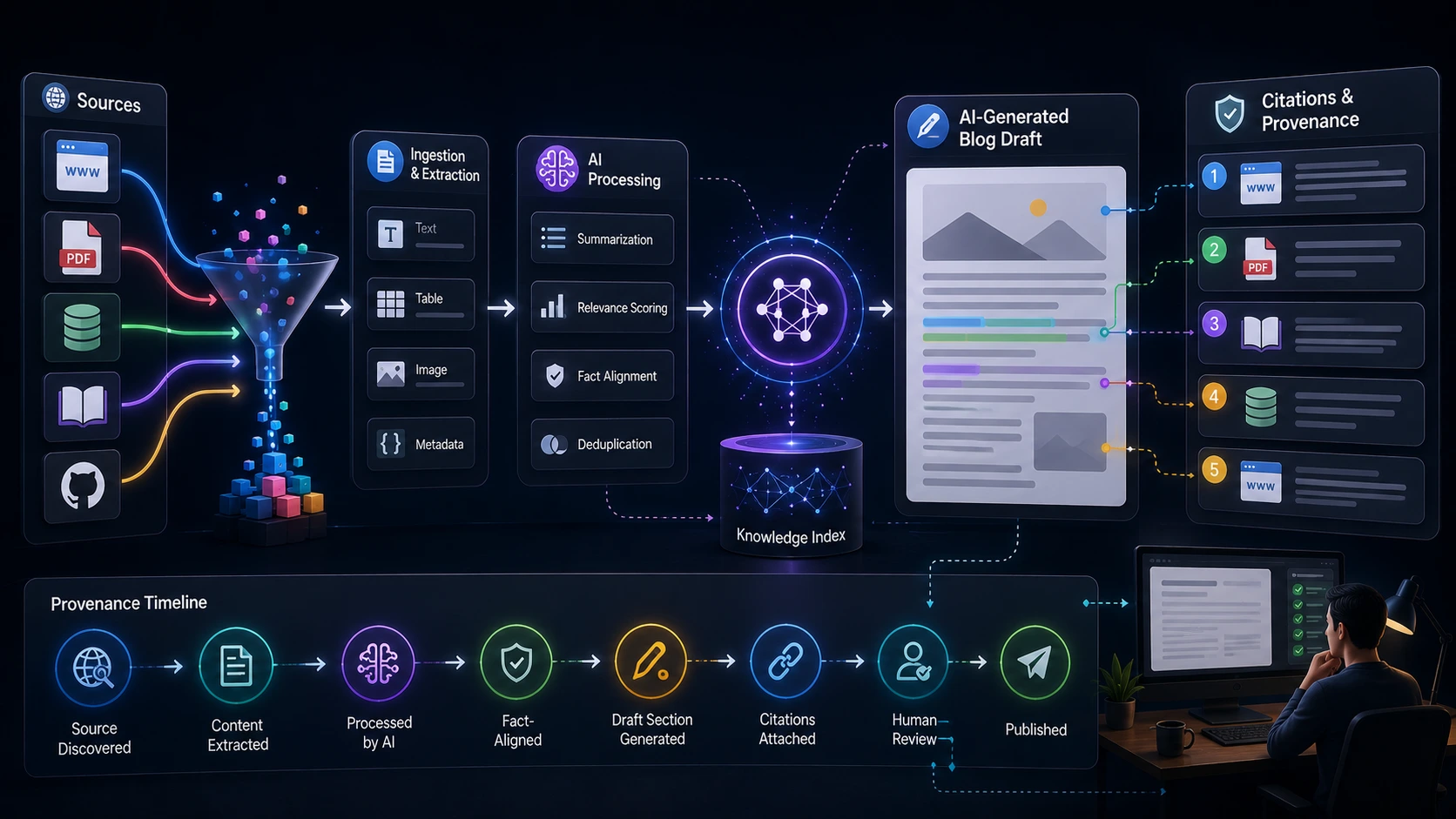
- Retrieval layer — when the system pulls documents or passages for a RAG workflow. Record document IDs, offsets, and relevance scores.
- LLM invocation — log the prompt, model metadata, and the exact output returned by the model.
- Post-processing — any transformations (e.g., paraphrase, summarization, citation formatting) should append a transformation record.
- Editor client — when an editor accepts or edits a suggestion, record the action and the before/after text to maintain an audit trail.
Use asynchronous logging for nonblocking UI: write a small, durable event envelope synchronously, then enrich it in a background job with full retrieval traces if needed.
Storage and indexing strategies
Two patterns work well in practice:
- Inline metadata: attach a compact provenance JSON blob to the document draft/version in your primary database. This makes retrieval simple and keeps provenance in sync with versions.
- Append-only provenance store: send detailed events to a dedicated immutable log (e.g., event store or append-only DB). Use references (IDs) in the inline blob to avoid duplication while preserving an auditable history.
Index fields you’ll query often: suggestion_id, source_id, editor_id, timestamps, and provenance type. That lets editors and compliance teams run searches such as “show every suggestion that used source X” or “what suggestions did user Y accept last month?”
Showing provenance in the editor
Design UI to support quick trust decisions without overwhelming editors.
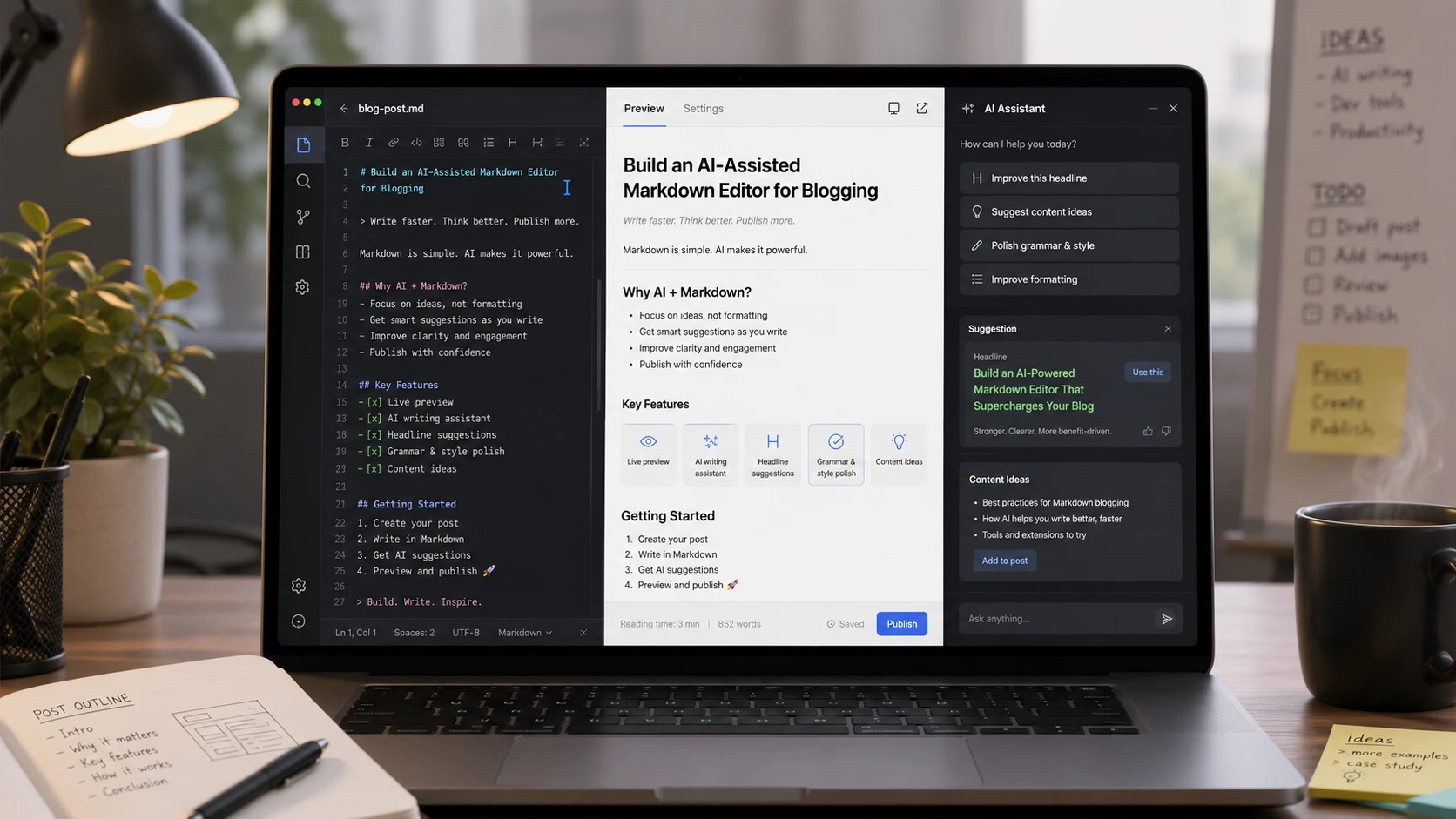
- Inline badges: show a compact badge next to an AI-suggested paragraph that indicates "Source: web" or "Source: internal KB" and a confidence meter.
- Hover or panel: clicking the badge opens a side panel that lists the retrieval chain, excerpts, and a short reason why the passage was suggested.
- Action buttons: allow editors to Accept, Edit, or Reject and automatically record which action they took. If they edit, capture the diff so the system knows which words remain traceable to a source.
- Citation preview: for suggestions with high-quality sources, show a one-click “Insert citation” that adds an inline footnote or link and stores the citation metadata.
Small UX decisions matter: prefer progressive disclosure (badge → panel) over forcing a modal for every suggestion, and color-code only when confidence is meaningfully different to avoid signal noise.
From provenance to published citations
Publishing requires a clear rule set so readers can see source provenance without editorial ambiguity.
- Preserve source links: when published content contains text directly derived from a known source, include a citation or link that points to the original. If the source is internal and cannot be public, include an editorial note such as “based on internal research.”
- Track edits vs. origin: when editors substantially rewrite a suggestion, record that the published text is editor-modified and — if the final content no longer closely maps to a source — avoid generating misleading citations.
- Automated citation pipeline for LLMs: produce a machine-readable citation record at publish time that includes source_id, excerpt, retrieval score, and editor action. Use that to render human-readable citations (footnotes, linked references) in the post template.
- Attribution levels: define thresholds (e.g., >80% text overlap or explicit excerpt use) that require a formal citation. Below that, include a “source informed” note instead of a formal citation.
Generating citations at publish time avoids stale links being created when an editor discards a suggestion before publishing.
Editor audit trail and governance
An effective audit trail combines immutable records with human-readable summaries.
- Chain-of-custody: every suggestion should show its retrieval and model origins plus a compact history of edits and approvals.
- Approval workflows: add a sign-off step for high-risk content (legal, medical, financial) that requires explicit approval and logs the approver and rationale.
- Access controls: restrict who can view full provenance payloads; redact or mask sensitive excerpts for roles without clearance.
Design governance policies that map to your organization’s risk tolerance: what needs a citation? when does a suggestion require an expert review? Embed those rules in the editor to guide writers.
Operational trade-offs and privacy
Building provenance increases storage and complexity. Key trade-offs to consider:
- Performance vs. completeness: capture minimal fields synchronously and enrich asynchronously. Storing full retrieval contexts for every suggestion can be expensive; decide retention windows accordingly.
- Privacy and compliance: redact personal data from stored excerpts or apply shorter retention for logs tied to identifiable individuals to meet GDPR/CCPA needs.
- Legal exposure: automated linking to external content may surface license issues. Track licensing tags and prevent publication of content derived from restricted sources.
- Cost: if you persist full retrieval chains and large model context for many suggestions, storage and query costs rise. Prune or tier older provenance records.
Implementation checklist (practical phased rollout)
- Define the minimum provenance schema and register it as the platform contract.
- Instrument the retrieval layer to emit source IDs and excerpts.
- Log LLM invocations with prompt templates and model metadata.
- Attach a compact provenance blob to each draft version; write detailed events to an append-only store for audits.
- Ship a lightweight editor badge and side panel that surfaces provenance to writers.
- Add publish-time citation generation that converts provenance records into human-readable footnotes or links.
- Introduce retention, access control, and redaction policies; run a short pilot for high-risk content categories.
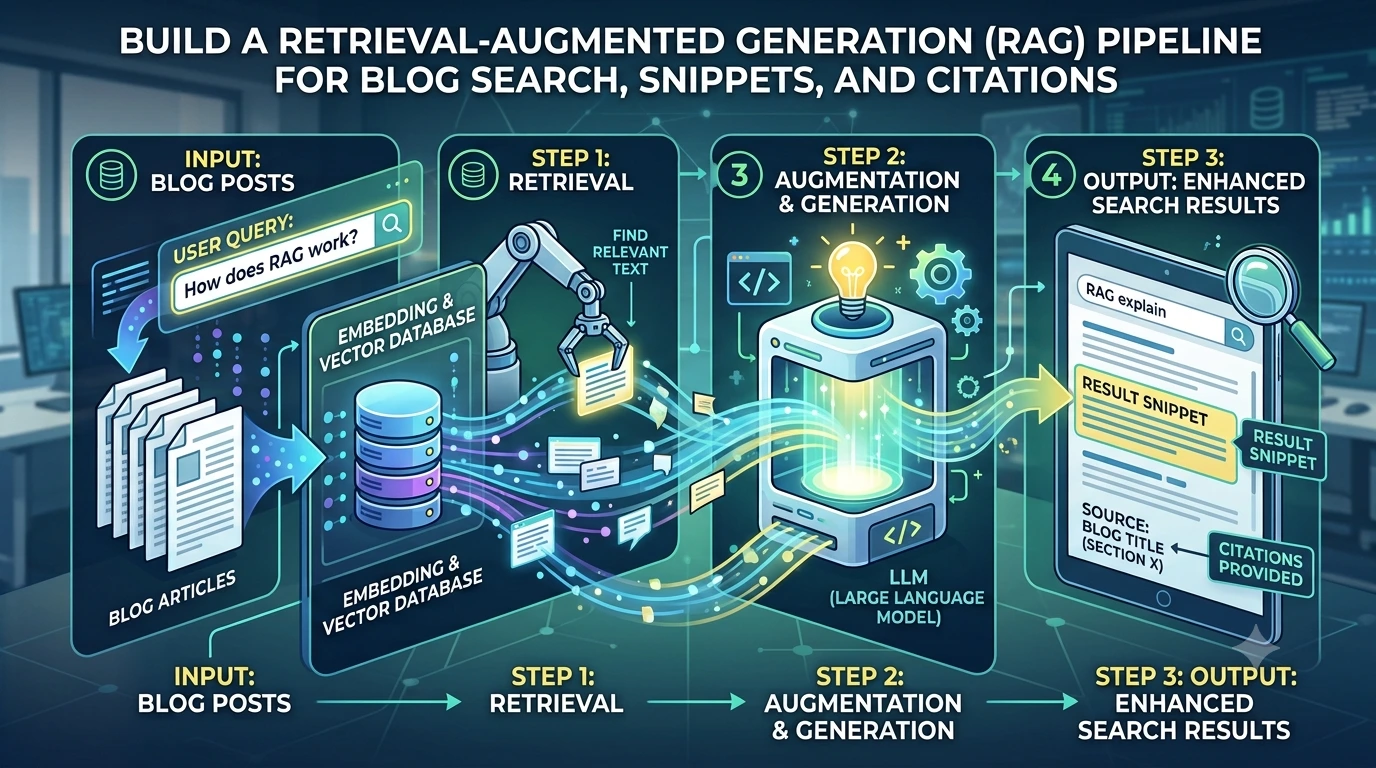
These steps let teams start small (capture essentials, show badges) and expand to full auditability without blocking editorial velocity. If you already use retrieval-augmented approaches, consider integrating provenance capture with your RAG pipeline to avoid duplicate work; our post on building a RAG pipeline explains that layer in more detail.
Final recommendations
Start with a minimal, consistent provenance payload and display it where editors make decisions. Automate citation generation at publish time using the recorded mappings and define clear thresholds for when to render a formal citation. Balance fidelity against performance and privacy, and make auditing straightforward by combining inline metadata with an append-only event log. Done well, an ai content provenance system increases editorial trust and makes it easier to explain, defend, and improve the content your platform publishes.
Frequently Asked Questions
What minimum fields should I store for ai content provenance?
Store a compact set: suggestion_id, timestamp, model metadata, retrieval_chain (source IDs and excerpts), mappings linking generated text to sources, editor actions, and licensing tags. This covers attribution, audit, and citation needs without excessive storage.
When should the system automatically add a citation to a published post?
Define thresholds: citations when published text directly reproduces a source excerpt or when mapping confidence and overlap exceed a set percentage (for example, >80% overlap). Otherwise label content as "informed by" internal or external sources and require manual attribution for edge cases.
How do I avoid slowing down the editor with provenance logging?
Write a small synchronous event (IDs, timestamps, minimal fields) and enqueue a background job to enrich the record with full retrieval traces. Keep UI displays based on the compact blob so editors are not blocked by heavy I/O.
What privacy concerns should I address?
Redact or avoid storing personal data present in retrieved excerpts, apply role-based access to full provenance payloads, and implement retention policies for logs tied to user identities to comply with GDPR/CCPA.
Can provenance help reduce hallucinations?
Yes. Showing source excerpts and retrieval scores makes it easier for editors to spot unsupported claims. Combine provenance with source quality checks (trusted domains, internal KB validation) to reduce reliance on hallucinated outputs.