
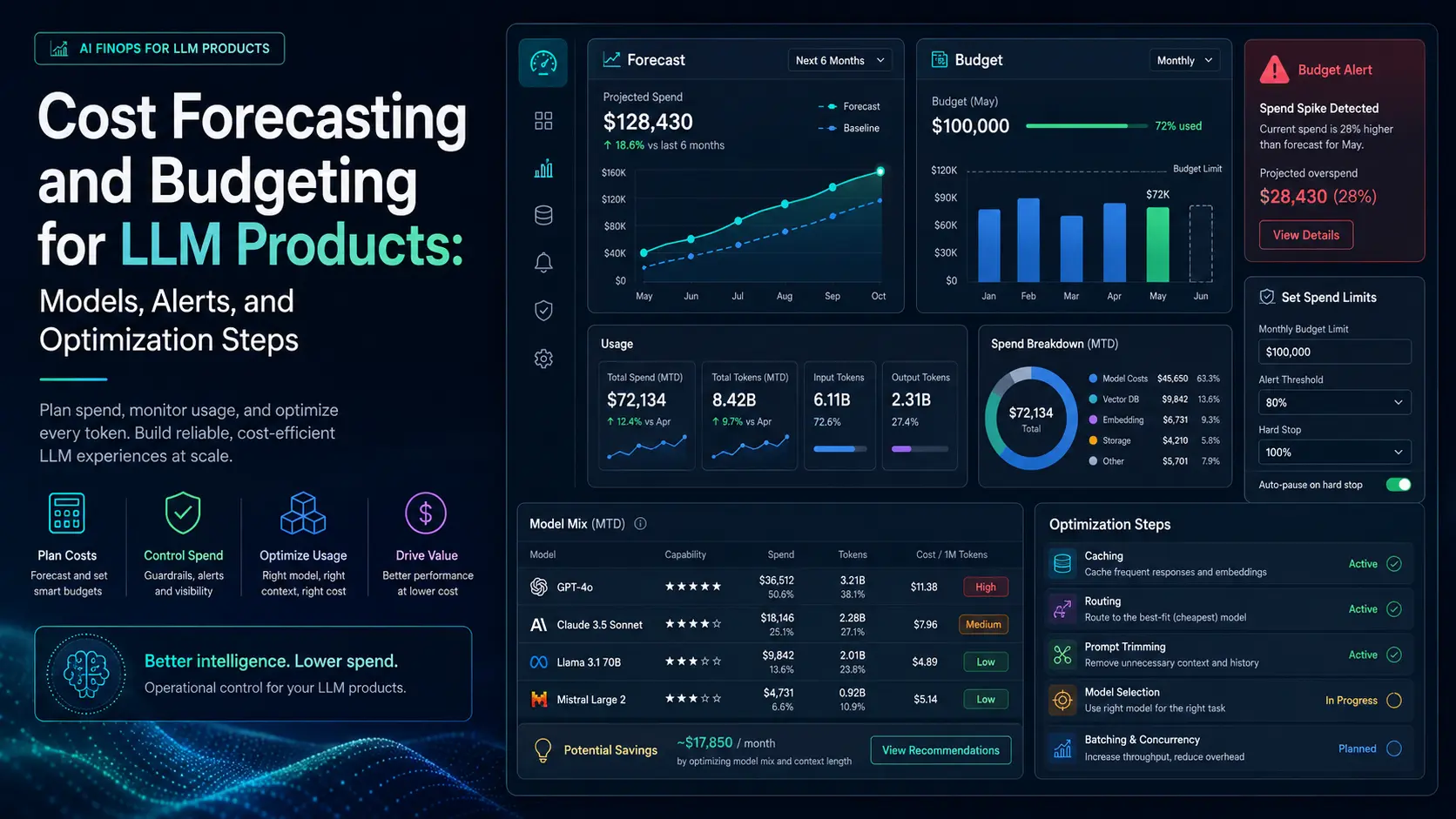
LLM-powered features can deliver outsized value—and outsized, hard-to-predict bills. This article gives product and engineering teams a practical playbook for llm cost forecasting, setting budget guardrails, and reducing spend without sacrificing user experience. The guidance focuses on formulas you can apply immediately, alerting strategies that surface risk early, and concrete optimization steps you can operationalize.
Estimate costs with a simple profiling workflow
Before you build complex dashboards, run a small, representative profiling pass over real requests. Use production-ish prompts and responses, capture token counts, model choices, and frequency, then convert that profile into monthly forecasts.
Basic per-request cost formula
# tokens_per_request = prompt_tokens + completion_tokens
# price_per_1k = model_price_per_1k_tokens (USD)
cost_per_request = tokens_per_request * (price_per_1k / 1000)
Example: if a feature averages 1,200 tokens per interaction and you use a model that charges $0.03 per 1,000 tokens, cost_per_request = 1,200 * 0.00003 = $0.036.
Project monthly spend
Aggregate the per-request cost into expected spend with three scenarios: optimistic, expected, and pessimistic. Use the formula below.
monthly_cost = avg_requests_per_month * avg_tokens_per_request * (price_per_1k / 1000)Run the formula per model, per feature, and sum. Don’t forget ancillary costs: embeddings, retrieval, fine-tuning/training, and vector-store storage/read costs.
Model selection: balance quality and price
Model selection cost matters because price-per-token and latency vary widely between model families and sizes. Treat model choice as a knob you can tune against product KPIs: response quality, latency, and cost per transaction.
When comparing models, evaluate three vectors:
- Token price (USD per 1,000 tokens)
- Tokens required to reach acceptable quality (smaller models may need longer prompts or more chain-of-thought tokens)
- Operational impacts (latency, retries, and concurrency caps that affect throughput)
Practical approach: A/B a cheaper model on a subset of traffic with blended routing. If quality drop is acceptable, route a percentage of requests to the cheaper model and measure delta in conversion or task success.
Token usage optimization: where to cut tokens without killing quality
Token reduction is the single most effective lever to lower bills. Focus on the high-return techniques first.
Prompt and response engineering
- Trim system and user prompts to essentials; avoid repeating static instructions in every request—store them server-side and prepend selectively.
- Set explicit maximum completion lengths and prefer concise output formats (JSON, bullet points) to reduce variance.
Context management and summarization
Large context windows are expensive when you send long histories. Replace full histories with summarized state: maintain compressed summaries or embeddings and only send raw history when strictly needed. Use rolling summaries that keep task-critical facts.
Caching and deduplication
Cache model outputs for identical prompts or for repeated user queries (e.g., help content, FAQ answers). Use hash keys that include model and temperature to avoid cache poisoning.
Retrieval-augmented approaches
When the model needs factual data, return structured snippets instead of long documents. Pre-filter and chunk source documents to only send high-signal fragments. Consider on-device or edge caches for very hot content.
Monitoring and alerting strategies that catch problems early
Instrumentation is as important as forecasting. Capture these minimum metrics per feature and model:
- tokens_sent, tokens_received per request
- requests_per_minute and concurrency
- cost_per_request and rolling cost burn (1h, 24h, 7d)
- feature-specific spend and spend_rate_of_change
Design alerts around both absolute limits and changes in trajectory.
Alert types and suggested thresholds
- Burn-rate alert: Trigger when 24-hour spend exceeds X% of monthly budget (common: 10–20% early in month, adjust by seasonality).
- Delta alert: Trigger when hourly spend increases by more than Y% over a rolling baseline (useful to catch runaway loops or bad prompts).
- Per-feature cap: Trigger when a feature's accumulated spend nears its allocated budget.
- Model anomaly: Alert if average tokens per request for a model deviates substantially from historical median (signals input bloat or model behavior change).
Make alerts actionable: include recent sample requests, token counts, and the exact model names so engineers can reproduce the issue quickly.
Operational steps to enforce budgets
Forecasts and alerts are useful, but you also need automatic enforcement to prevent surprises. Implement layered controls:
- Per-feature soft limits: When a feature nears its budget, reduce model size, lower max tokens, or return a cached fallback response.
- Global emergency throttle: A kill switch that reduces traffic to paid models by a configurable percentage when platform spend exceeds an emergency threshold.
- Gradual degradation: Design fallback behaviors—degraded model, shorter responses, or feature gating—so you can keep core functionality while controlling spend.
- Quotas and rate limits: Enforce per-user and per-API-key quotas in the gateway layer to control abuse or runaway loops.
Integrate budget enforcement with feature flags. That lets product decide whether to degrade a feature for a small user cohort while keeping it on for paid tiers.
Example: end-to-end forecast and alert
Profile results from a week of traffic show:
- avg_requests_per_day = 50,000
- avg_tokens_per_request = 900
- model_price_per_1k_tokens = $0.03
Monthly forecast (30 days):
monthly_cost = 50,000 * 30 * 900 * (0.03 / 1000)
monthly_cost = 1,350,000 * 0.00003 = $40.50
Set alerts:
- Daily burn-rate alert if day_spend > $5 (approx 12% of forecasted daily spend).
- Hourly delta alert if hour_spend > 3x rolling hourly median.
- Feature cap at $50/month with automatic downgrade to cheaper model at 80% of cap.
This example shows that modest per-request tokens can compound; the same math scales to millions of requests and quickly becomes the dominant cost line in product budgets.
Practical rollout plan for engineering and product teams
Follow a staged approach to avoid surprises and ensure stakeholder alignment.
- Profile: Collect token and request-level data for one representative week.
- Forecast: Build optimistic/expected/pessimistic scenarios and present them to finance and product stakeholders.
- Instrument: Implement token-level metrics, per-feature spend logs, and retention of sample payloads for alerts.
- Alert: Configure burn-rate, delta, and per-feature alerts with clear ownership and runbooks.
- Enforce: Deploy soft limits, fallbacks, and emergency throttles tied to budgets and feature flags.
- Optimize: Prioritize token reduction techniques that give the highest ROI and A/B cheaper models under traffic-split controls.
Actionable checklist
- Run a one-week profile to get avg tokens/request per feature and model.
- Calculate three scenario forecasts and present them with explicit assumptions.
- Instrument token-level metrics and store small sample payloads for investigation.
- Set alerts for burn-rate, hourly delta, and model/token anomalies.
- Implement per-feature budgets and automatic degraded fallbacks.
- Prioritize token optimization: prompt trimming, summarization, caching, retrieval filtering.
- Plan a controlled model switch experiment before committing traffic to cheaper models.
Good forecasting combines precise profiling with operational controls: measure first, forecast second, and enforce third.
Frequently Asked Questions
How do I estimate monthly LLM costs for a new feature?
Profile sample requests to get average tokens per request, multiply by expected monthly request volume, and apply the model's price per 1,000 tokens: monthly_cost = requests_per_month * avg_tokens * (price_per_1k / 1000). Include embeddings, retrieval, and storage costs separately.
What alerts should I set to avoid surprise bills?
Set burn-rate alerts (24h spend as a percentage of monthly budget), hourly delta alerts (sudden jumps in hourly spend), per-feature budget alerts, and model-anomaly alerts (tokens per request change). Include sample payloads in alerts for quick investigation.
When should I switch to a cheaper model versus optimizing tokens?
A/B test cheaper models on a subset of traffic. If quality drops materially, prioritize token optimizations (prompt trimming, summarization, caching). Use blended routing to measure user impact before wider rollout.
What are the highest-return token optimizations?
Trim redundant prompt text, summarize long histories server-side, cache frequent responses, and filter retrieved documents to send only high-signal snippets. These yield substantial savings with minimal UX impact.
How do I enforce budgets without breaking the product?
Implement soft limits that trigger degraded behavior (shorter responses, cheaper model, cached fallback), use feature flags for controlled rollouts, and have a global emergency throttle to reduce paid-model traffic if spend exceeds thresholds.